Workflows & automation
Do one thing. Let the system do the rest.
Build rules from events, conditions and actions without writing code. Choose what triggers a flow, who it applies to and what should happen next — then test the rule before putting it to work.

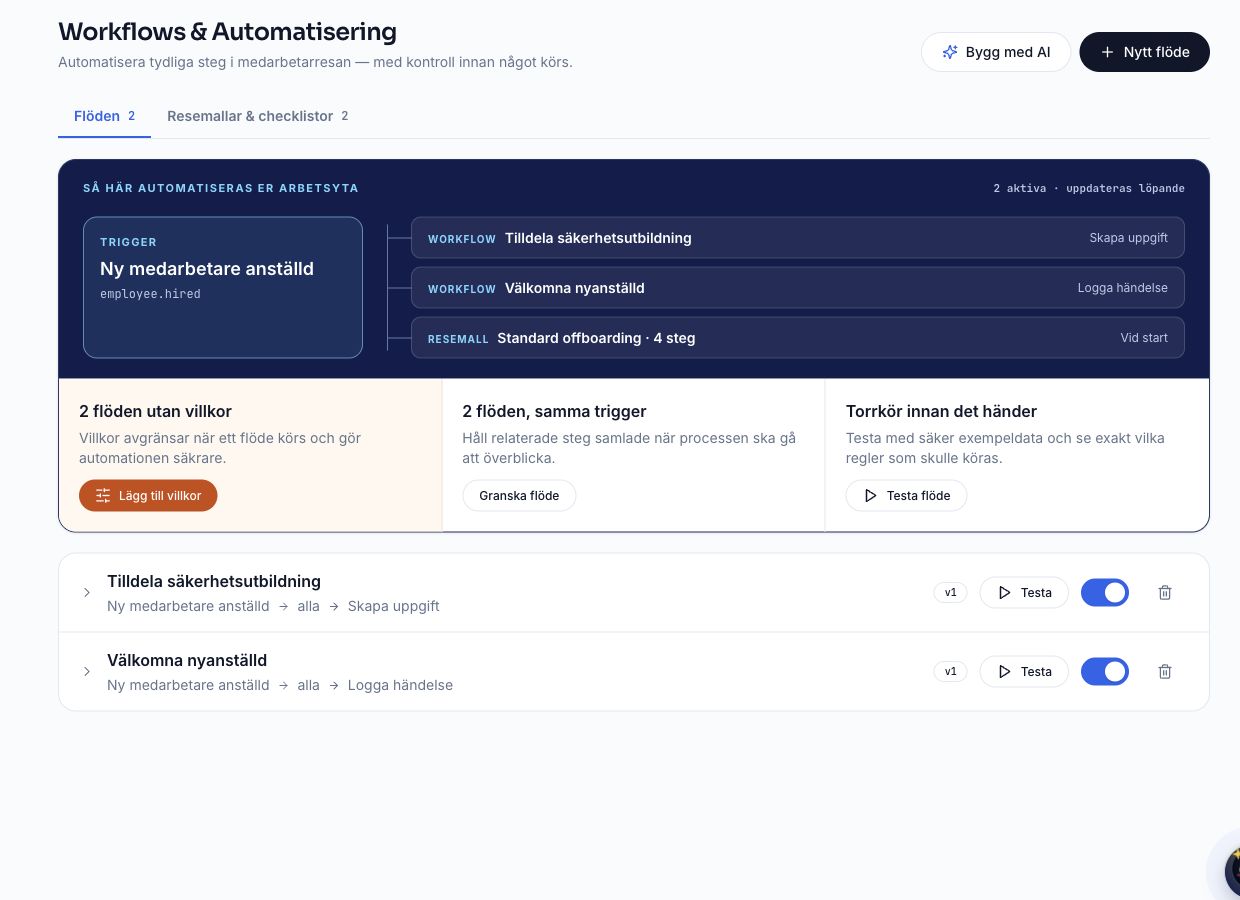
Workflows & automation
Why it makes a difference
One event starts an entire process – automatically.
- 01
Build rules without code
Connect a trigger event, conditions and actions in a visual builder.
- 02
Test before activating
Run a test and follow the outcome of each execution and action step.
- 03
Reuse proven structures
Start from onboarding and offboarding checklists and journey templates.
Try it yourself
See how a workflow can take shape.
Start an interactive example and follow how the next steps become visible when a new colleague joins.
New hire: Sara Lind
Senior Developer · starts Oct 1
- Create employee profile
- Generate employment contract
- Send for e-signature
- Start onboarding
- Assign security training
- Order laptop and accounts
- Schedule 30-day check-in
+10 more steps
Click to see what happens when someone is hired.

Less chasing. More forward motion.
EVENT · CONDITION · ACTION
Keep processes moving as everyday work happens.
Workflows make recurring HR work easier to shape and follow. Define what triggers a rule, who it applies to and what should happen next — without starting from scratch for every event.
- 01
Choose what starts the flow
Start with an event in the employee journey — for example, someone is hired, an agreement is signed or employment ends.
- 02
Add conditions and actions
Narrow down who is affected and choose what the rule should do, such as send a notification, create a task or call a webhook.
- 03
Test and follow the outcome
Run a test and follow the status of each execution and action step as the flow is used.
Workflows & automation
What is included
Build from clear steps, test before relying on a rule and use run history to understand what may need adjustment.
01
Rules that start with the right event
Connect flows to events such as a new hire, preboarding, onboarding start, signed agreement or employment ending. Conditions can narrow a rule by department, employment type, role and location.
- Visual builder for events, conditions and actions
- Triggers for new hires, preboarding, onboarding, signed agreements and exits
- Conditions based on department, employment type, role and location
02
Actions with a visible outcome
Choose from notifications, tasks, email, training assignments and webhook actions. Test the rule and follow results in the run history, so it is clear what happened.
- Actions for notifications, tasks, email and training assignments
- Webhook actions and test runs with execution history
- Onboarding and offboarding checklists and journey templates
More of the platform

It all starts with people.
ONE CONNECTED PLATFORM
People, processes and insight — connected.
Explore more tools that bring employee data, everyday processes and insight together in one place.
- People IntelligenceAI that detects risks and suggests next steps.
- People & documentsA living employee directory with contracts and documents.
- Onboarding & offboardingFrom signed contract to the last working day.
- Time off & absenceVacation, sick leave and time off without the hassle.
- Development & skillsGoals, reviews and skills mapping.
- Compensation & people costTrue people cost and smart scenarios.
- ComplianceSee instantly whether you meet the requirements.
- Executive overviewThe health of your organisation on one screen.
AltitudeHR
Give your people the platform they deserve.
Get started in minutes. You will wonder how you ever managed without it.